On this page
Igor Pro on Apple silicon: what WaveMetrics supports
WaveMetrics announced that, starting with version 10, Igor Pro is available only for Windows. Its platform page is explicit about the Mac: Igor Pro 10 does not run on macOS except inside a Windows virtual environment.
| Version | Runs on | Status |
|---|---|---|
| Igor Pro 10 | Windows; on a Mac only in a Windows virtual machine | Current release |
| Igor Pro 9.05 | macOS; Intel build, Rosetta 2 required on Apple silicon | Final Mac release; no further updates or bug fixes |
| Rosetta 2 | Apple silicon Macs | Apple says support for apps ends after macOS 27 |
Existing Igor Pro 9 licences stay valid, an Igor 10 licence includes the right to run Igor Pro 9, and WaveMetrics continues to support Mac users of version 9. It also warns that issues may appear in future macOS versions. A 9.05 installation therefore works today, but it is a fixed point rather than a platform to build new projects on.
Igor Pro vs Autoplot: a fair comparison
Igor is an integrated scientific programming environment. Autoplot is a native Mac app for importing, analysing, plotting and exporting tabular data. The overlap is the table-to-figure path; most of Igor's depth sits outside it. For native apps, cross-platform tools and code compared on one project, see scientific plotting software for Mac.
| Need | Igor Pro | Autoplot |
|---|---|---|
| Native on Apple silicon | 9.05 via Rosetta 2; 10 needs Windows | Yes, macOS 15 or later |
| Data model | Waves, data folders, .pxp experiments | Imported tables as named variables in a local .elab project |
| Programming | Built-in language, procedure files, XOP extensions | None built in; the assistant writes Python that runs on your Mac |
| Curve fitting | Built-in and user-defined, constrained, global, multidimensional | Histogram, power-law, CCDF tail and 2D surface fits; trend lines on X&Y |
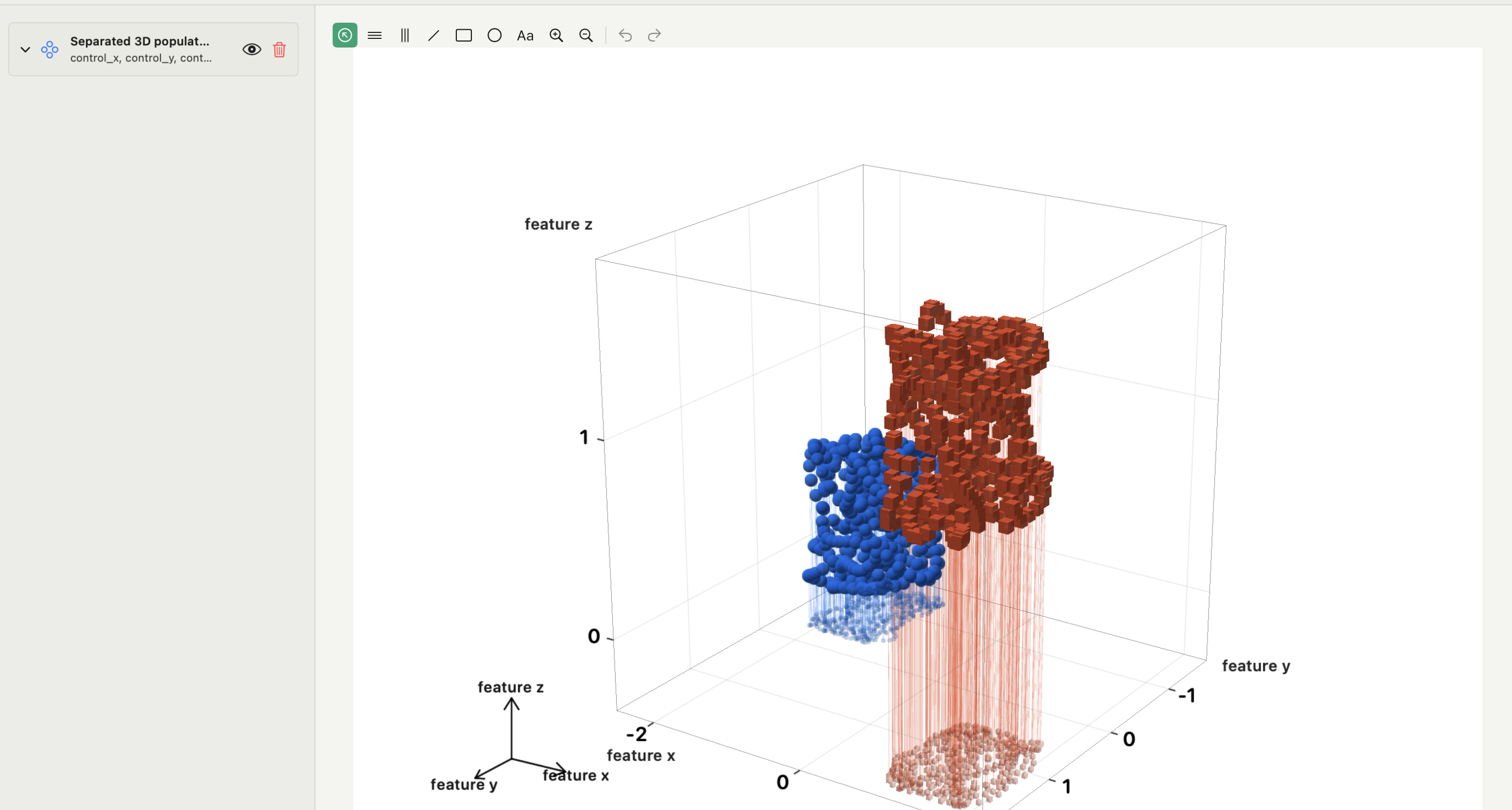
| 3D | Surfaces, isosurfaces, 3D scatter, volume slices | Surfaces, 3D scatter, line trajectories |
| Acquisition, image and signal processing | Yes | No |
| Opens Igor files | Yes | No |
The fitting row matters most for former Igor users. Autoplot has no general nonlinear X/Y fitter with bounds. For a custom model on X/Y data, the honest route is your own SciPy code or the assistant writing it, as described in the nonlinear curve fitting guide.
Where Igor Pro is the better choice
Keep Igor, as 9.05 on the Mac or Igor Pro 10 in Windows, when any of these is the core of the work:
- A procedure codebase. Years of Igor procedures, custom panels and analysis packages have no automatic translation. Rewriting them is a software project, not a plotting decision.
- Instrument control. WaveMetrics documents hardware data acquisition and Micro-Manager support. Autoplot reads files after the fact.
- Image and signal processing. Igor offers image filtering and quantification, Fourier transforms, digital filters and power spectra. Autoplot has smoothing and running averages, not a processing suite.
- Global and multidimensional fitting. Sharing parameters across datasets, or fitting functions of several variables with constraints, stays in Igor.
- Extensions. If a result depends on an XOP, keep the environment that loads it.
If none of these applies and the job is table in, figure out, the platform problem is the main reason to stay, and that reason weakens with every macOS release.
Autoplot as an Igor Pro alternative: what changes for new work
For the work that does move, the gains are specific rather than general.
- Visible import. A parser preview shows delimiter, header row and skipped rows before anything enters the project, and several files can be merged into one project.
- Analysis cards for heavy tails. Log-binned PDFs, power-law and truncated power-law fits, CCDF tail fits, an xmin scan, finite-size-scaling collapse and scaling relations run locally as tested Python implementations and write results back as variables. See how to fit a power law to data for the method.
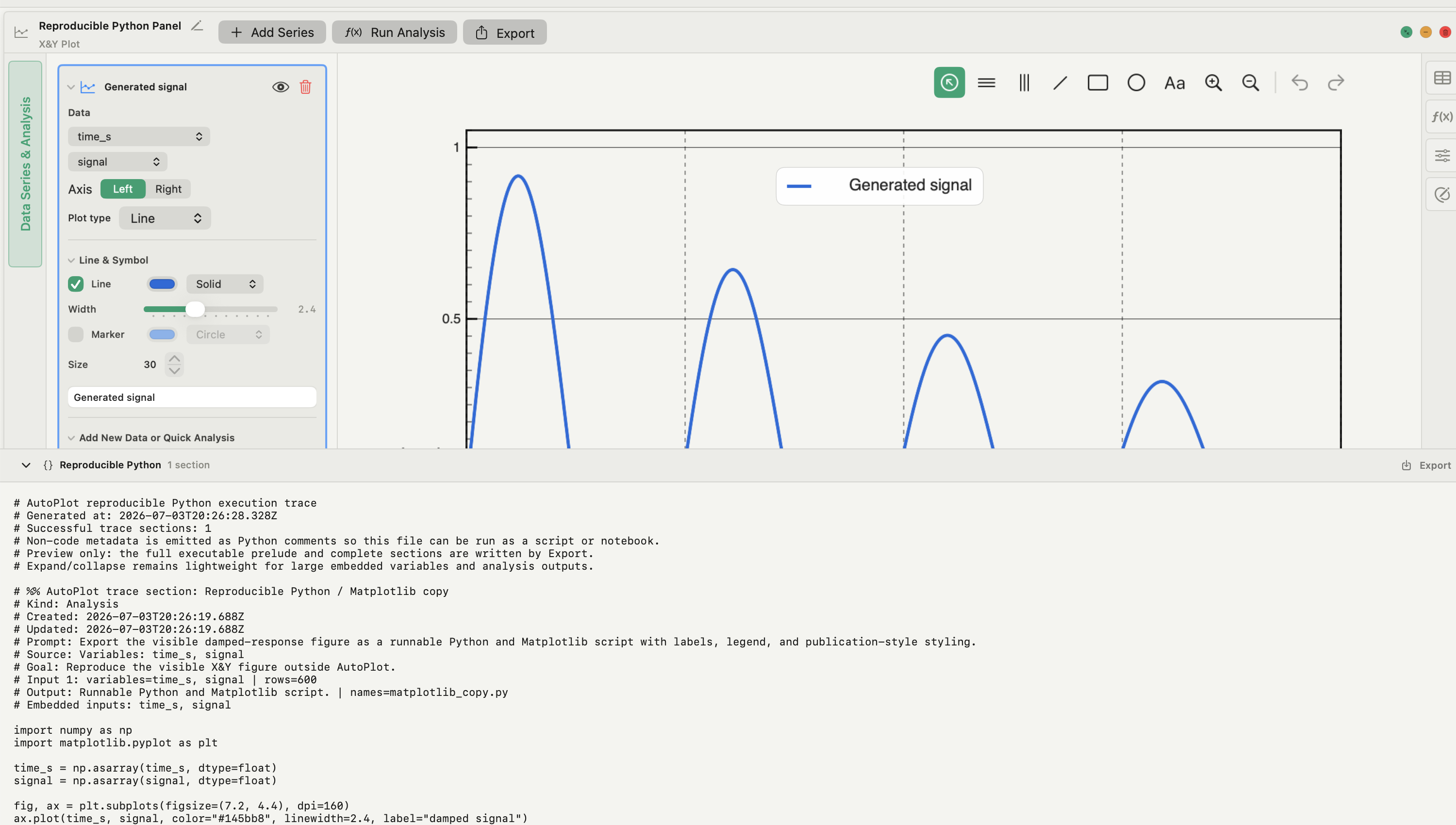
- A Python handoff instead of a macro language. Export a figure as an editable Matplotlib script, or export the Reproducible Python trace of supported import, variable and analysis steps. The trace does not replay every style setting or Compose layout.
- One board for the final figure. Compose places finished figures on A4, Letter or custom paper, adds panel labels and exports the board as PNG, JPEG or PDF.
Move one Igor project to Autoplot
- Keep the original experiment, its procedure files and a machine that opens it. Note the Igor version.
- Pick one representative result: a single graph and the analysis behind it.
- In Igor, save the waves behind that graph as delimited text, with names, units and full numeric precision. Autoplot does not read
.ibwor.pxpfiles. - Import the text file into Autoplot and check the parser preview: delimiter, header row, row count and how missing values arrive.
- Recreate the variables and the plot, then rerun the analysis with the matching card. For anything without a card, ask the assistant for the Python and read it before it runs.
- Compare fitted parameters, errors, counts and the exported file with the Igor result. A matching picture is not a matching analysis.
- Leave any step that fails the comparison in Igor, and start the next new project in Autoplot.
The CSV plotting guide walks through steps 4 and 5 in detail.
What Autoplot covers, and where it stops
Autoplot runs natively on Apple silicon Macs with macOS 15 or later. The free plan, which does not expire, covers X&Y plots, histograms with Gaussian-mixture and custom fits, log-binned distributions, power-law fits and project save and load. Plus adds heat maps, 3D plots, correlation matrices, Compose, CCDF analysis, the xmin diagnostic and scaling analyses, and is free for the first 30 days. See pricing and the features page.
It stops well short of Igor's environment: no .ibw or .pxp import, no scripting language, no acquisition, no image processing, no global fitting, and no Windows or Linux version. The assistant can drive every Autoplot feature from a request and write Python for what is not built in; you see the Python before it runs, and with cloud models only your request and column names leave the Mac, never the values.
Frequently asked questions
| Does Igor Pro run on Apple silicon Macs? | Igor Pro 9.05 runs through Rosetta 2, which Apple says will stop supporting apps after macOS 27. Igor Pro 10 runs on a Mac only inside a Windows virtual machine. |
|---|---|
| Can Autoplot open Igor .ibw or .pxp files? | No. Save the waves you need from Igor as delimited text and import that file; the import preview lets you check headers and missing values before committing. |
| Is there a free Igor Pro alternative for Mac? | Python with NumPy, SciPy and Matplotlib is free and the closest match to Igor's programmability. Autoplot's free plan is permanent and covers X&Y plots, histogram fits and power-law fits without code. |
Sources
Autoplot statements are based on the app's documentation for import, X&Y plots, 3D plots, Compose and the analysis cards, checked on 9 October 2026, and on the features page. WaveMetrics documents the platform boundary in its platform support page, version list and macOS announcement; its product site and getting-started documentation describe Igor's programming, fitting, acquisition and image-processing features. The end of Rosetta 2 app support after macOS 27 is reported from Apple's statement by MacRumors; see also Apple's Rosetta documentation.